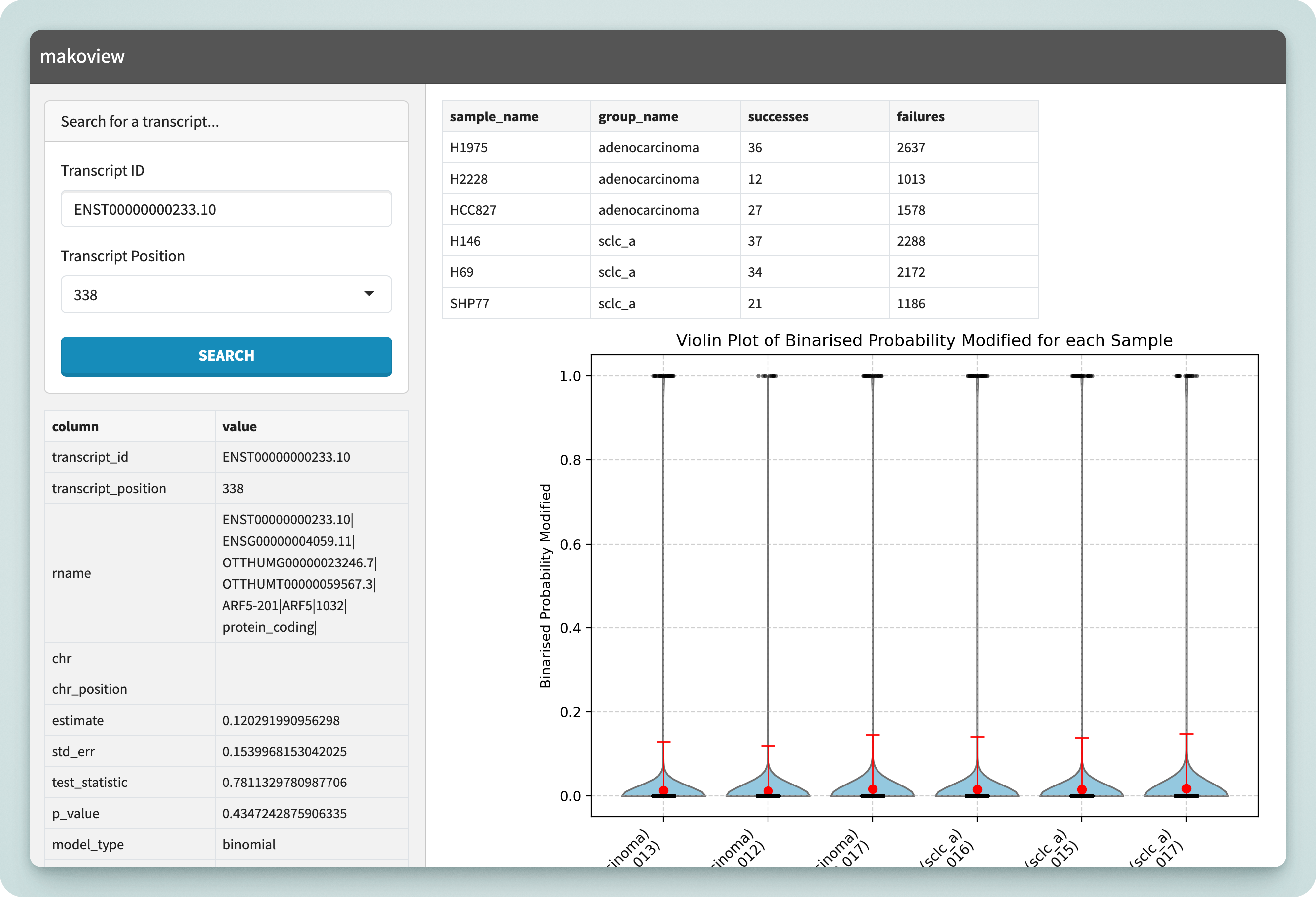
Mako comes with an interactive application called makoview which can be used to visualise the results once the pipeline has finished.
Installation
makoview is a Python package for Python 3.9 — 3.12.12, available on PyPI and downloadable through your preferred Python package manager.
# with pip:
$ pip install makoview
$ makoview --help

# with pipx:
$ pipx run makoview --help

# using uvx (✅ recommended!!)
$ uvx makoview --help        # or uvx --python 3.12 makoview --help
pipx and uv allow executables to be run within their own isolated environment, preventing dependency resolution issues. They are recommended over pip install.
Usage
Makoview has three parameters:
options:
  -h, --help            show this help message and exit
  --differential-results DIFFERENTIAL_RESULTS
                        Path to differential sites database file
  --modification-db MODIFICATION_DB
                        Path to modification database file
  --port PORT           Port for the Shiny application (default: 8000)
The default usage is as follows:
export MAKO_OUTPUT_DIR="/data/gpfs/projects/punim0614/occheng/epi_differential/pipeline/runs/longbench/results"
export MODCALLER="dorado"  # either "dorado" or "m6anet"
export DIFFERENTIAL_MODEL="adaptive_binomial"
makoview \
  --differential-results $MAKO_OUTPUT_DIR/differential/$MODCALLER/${DIFFERENTIAL_MODEL}_fits.tsv \
  --modification-db $MAKO_OUTPUT_DIR/modcall/$MODCALLER/all_sites.duckdb \
  --port 8000
This will launch a web server running on port 8000, accessible at http://127.0.0.1:8000.
Running on HPC
On HPC systems, if you have SSH access, you can port forward the web server from the server to your local machine.
# launch the server on port within [10000, 65535], i.e.
🛜 SERVER $ makoview <params> --port <abcde>
# next, on your local machine, forward that port:
👩💻 CLIENT $ ssh -N -L <abcde>:localhost:<abcde> username@hpc.server
You can now connect to Makoview locally using http://127.0.0.1:<abcde>.